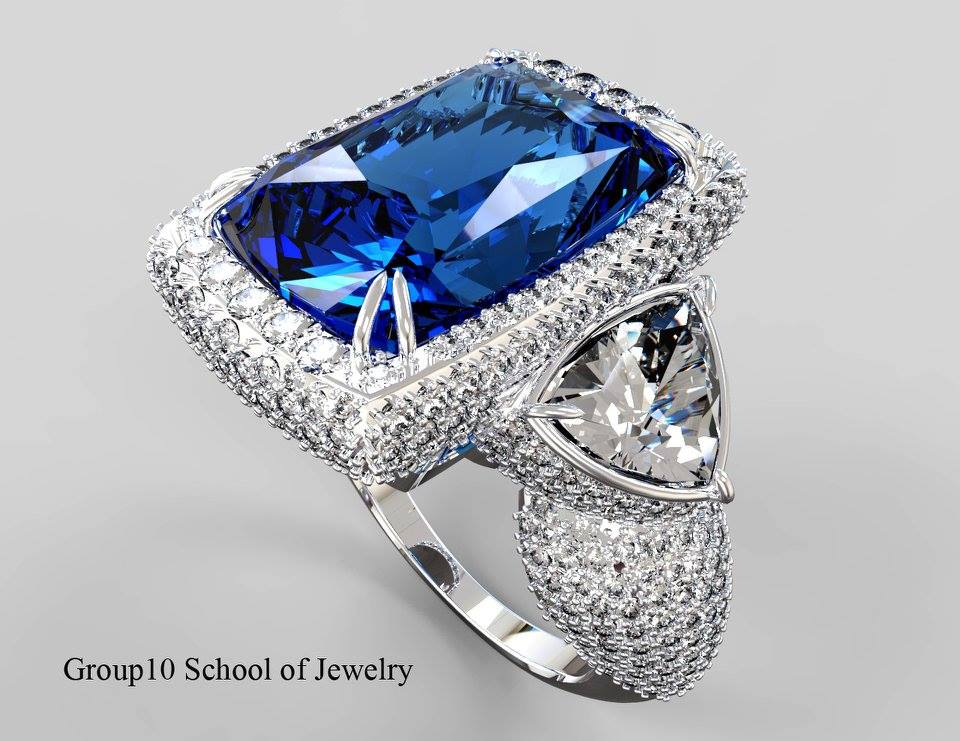
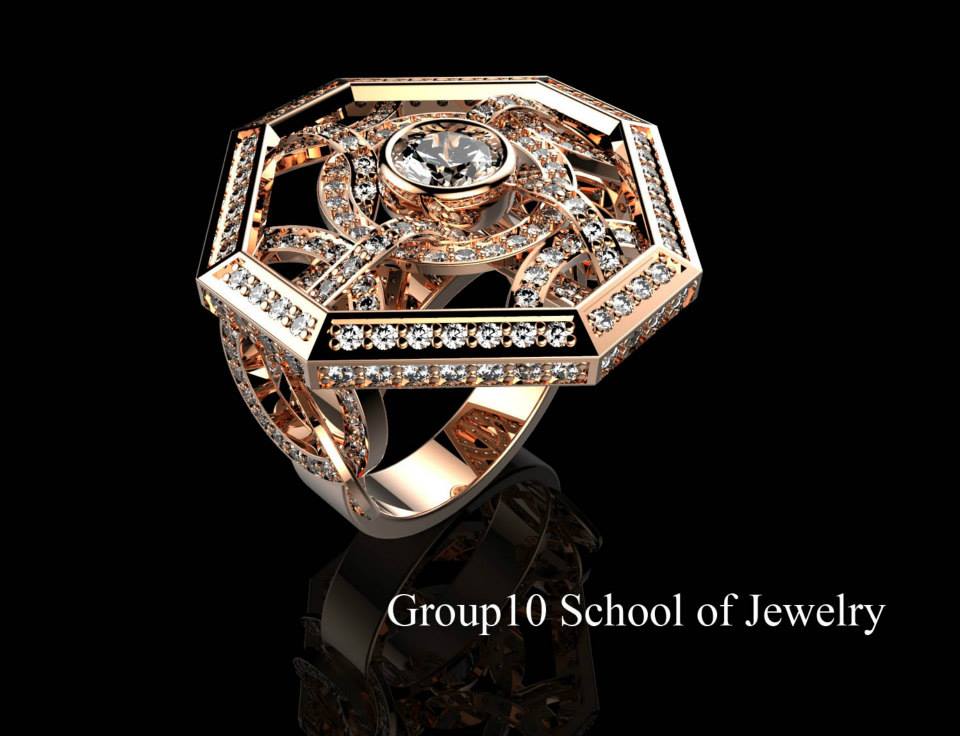
Jewelry Design by
Rhinoceros 3d + MatrixGold
Jewelry design by MatrixGold


ผู้สอน : นายสนธยา ปั้นสุภา
Instructors: Sontaya pansupa
Course Overview: Jewelry Design by Rhino 3D & MatrixGold 4.0 (Basic to Intermediate)
A comprehensive 3D jewelry design course from basic to professional level. Combining the precision of Rhino 3D with the speed of MatrixGold 4.0, it utilizes the Parametric History Tree system to allow real-time adjustments of finger sizes, gem dimensions, and shank shapes without starting over.
Key Learning Highlights:
Rhino 3D Fundamentals: Master precision curve drawing, surface creation, and solid modeling.
Dynamic Builders: Quickly create shanks, heads, prongs, and gem layouts with parametric tools.
Advanced Features: Master precision cutters, metal weight reduction (Scoop/Hollow), weight calculation, and Gem Map spec sheets for stone setters.
Production Ready: Create photorealistic renders for client presentations and export watertight files (.3dm / .STL) optimized for 3D Printing and CNC production.
COURSE DETAILS: RHINO 8 + MATRIXGOLD 4.0 FOR JEWELRY DESIGN
Level: Beginner – Intermediate (42 Hours / 7 Days)
Course Fee: 25,000 THB (Includes course textbook, live class recordings, and 1-year access to online review course)
Certificate: RHINO 8 & MATRIXGOLD 4.0 FOR JEWELRY DESIGN
DAY 1 (RHINO 3D: Fundamentals & Curve Creation)
Session 1 (Morning):
Rhino 8 Interface, Viewports, and System Configuration
File Organization: Layers, Selection Filters, and Custom Toolbars
Modeling Aids: Grid Snap, Ortho, Osnap, SmartTrack, and Gumball
Basic Curves: Line, Circle, Arc, and Control Point Curves
Session 2 (Afternoon):
Curve Editing Commands: Offset, Trim, Split, Join, Fillet, and Blend Curves
Curves from Objects: Extract IsoCurve, Project, Intersection, and Curve from Objects
DAY 2 (RHINO 3D: Surface & Solid Modeling)
Session 3 (Morning):
Primary Surfaces: Extrude, Revolve, Rail Revolve, and Planar Surface
Advanced Surfaces: Sweep 1 Rail, Sweep 2 Rails, Loft, and Network Surface
Surface Continuity Control (Position, Tangency, Curvature)
Session 4 (Afternoon):
Solid Creation & Operations: Primitive Solids, Cap Planar Holes
Boolean Operations: Union, Difference, Intersection, and Split
Manual Jewelry Modeling: Bezel Settings and Solitaire Rings
DAY 3 (RHINO 3D: Curves on Surfaces & Transform Tools)
Session 5 (Morning):
Curves on Complex Surfaces: Extract Edge, Duplicate Edge, Flow Along Surface
Surface Modification: Fillet Surface, Offset Surface
Session 6 (Afternoon):
Transformation Tools: Move, Rotate, Scale, Mirror
Object Array Tools: Polar Array, Array Along Curve, Array Hole
DAY 4 (MATRIXGOLD 4.0: Dynamic Ring Builders & History Tree)
Session 7 (Morning):
MatrixGold 4.0 Interface, Layout, Context Menu, and Shortcuts (F4, F5, F6)
Parametric History Tree Structure (Master-Child Logic)
Session 8 (Afternoon):
Dynamic Ring Builders: Ring Rail, Outside Ring Rail, Cathedral, Bypass
Profile Management: Profile Placer, Profile Sweep, Dynamic Outside Curve
Specialized Ring Builders: Signet Ring, Signet Advanced, Award Ring Builder
DAY 5 (MATRIXGOLD 4.0: Gems, Prongs & Setting Techniques)
Session 9 (Morning):
Gem Placement Tools: Gem Editor, Gem On Ring Rail, Gem On Surface, Gems On Curve
Array & Special Gem Layouts: Gem Between 2 Curves, Tapered Baguettes On Surface
Session 10 (Afternoon):
Heads & Prongs Builders: Head Builder, Prong Placer, Prong On Surface, Cluster Prong, Halo Builder
Setting Techniques: Custom Bezel, Under Bezel, Micro Pavé (Multi-Prong Edit)
DAY 6 (MATRIXGOLD 4.0: Cutters, Metal Weight Reduction & Production Prep)
Session 11 (Morning):
Cutter Tools: Gem Cutter, Channel Cutter, Micro Prong Cutter, Cut To Ring Rail
Metal Weight Optimization: Scoop, Hollow Ring, Hinge Builder
Session 12 (Afternoon):
Metal Weight Calculation and Gem Map / Tech Report Output
Model Diagnostics: Mesh Check, Non-Manifold Edges, Tolerance
Troubleshooting Broken History Trees and Resizing Models
DAY 7 (FINAL PROJECT & PRODUCTION EXPORT)
Session 13 (Morning):
Final Project (Part 1): Designing and modeling a commercial jewelry piece (e.g., Multi-tier Split Shank Halo Ring or Award Ring)
Session 14 (Afternoon):
Final Project (Part 2): 1-on-1 Mentorship, Workflow Optimization, and File Correction
Photorealistic Rendering (Render Studio) for Client Presentation
Production Export: .3dm, Watertight .STL for 3D Printing / CAM, and Tech Specs Sheet